Best AI photo editors in 2026 (editing real photos, not generating new ones)
NOT another image generator roundup. These are tools that edit your actual photographs - removing noise, enhancing detail, replacing skies, retouching portraits, removing objects. Real photos in, better photos out.
TEST PHOTOS PER TOOL
We processed the same set of 10 test photos through every tool.
ENTRY PRICE, $/MO
Photoroom from $7.50/month billed yearly, Canva Pro $144/year, Photoshop plans from $19.99/month.
JOBS COVERED
Each tool wins a specific editing job rather than doing everything well.
Quick verdict
| Use case | Best tool | Price |
|---|---|---|
| Professional editing | Adobe Photoshop (Firefly AI) | $19.99-22.99/mo |
| Noise + upscaling | Topaz Photo AI | $39/mo (annual) |
| Landscape + portrait | Luminar Neo | $129 perpetual |
| Face restoration | Remini | Free / $9.99/mo |
| Product photos | Photoroom | Free / $7.50/mo (yearly) |
| Quick edits | Canva | Free / $144/yr |
| Batch processing | Pixelcut | Free / $8/mo (yearly) |
| Prompt-based edits Sponsored | DeeVid AI Image Editor | Free / $14/mo |
- Best professional editor: Adobe Photoshop with Firefly AI leads for full editing depth; Generative Fill removed objects and extended backgrounds with publish-ready results on the first attempt. Plans start at $19.99/month.
- Best for noise reduction and upscaling: Topaz Photo AI outperformed Lightroom and Luminar Neo on fine detail preservation at high ISO; now sold as Topaz Photo from $39/month on the annual Personal plan.
- Best value for enthusiasts: Luminar Neo offers sky replacement, portrait retouching, and object removal for a $129 one-time perpetual license (Desktop Only), avoiding subscription pricing.
- Best for faces: Remini specializes in face enhancement only, with over 100 million photos processed; free tier available, Premium is $9.99/month.
PHOTO EDITORS
Edit your actual photographs
Real photos in, better photos out.
IMAGE GENERATORS
Create new images from text
New pixels from a description.
How we tested
We processed the same set of 10 test photos through every tool: a noisy high-ISO indoor shot (ISO 12800), a low-resolution crop that needed upscaling, a portrait needing skin retouching, a landscape with a bland sky, a product photo needing background removal, and five additional images covering common editing scenarios. We evaluated each tool on output quality (did it improve the photo without introducing artifacts), processing speed, ease of use, batch capabilities, and value for price. RAW file support was tested where available. All pricing was verified on vendor websites in April 2026.

Photoshop with Firefly AI - industry standard
Adobe Photoshop remains the benchmark for photo editing, and the Firefly AI integration has made it more accessible without sacrificing depth. Generative Fill is the headline feature: select an area of your photo, type a description, and the AI generates photorealistic content that blends seamlessly with the original image. We used it to remove a distracting street sign from a landscape, extend a portrait's background for a wider crop, and replace a blown-out sky with dramatic clouds. All three results were publish-ready on the first attempt.
Beyond Generative Fill, the AI-powered selection tools are the most accurate in any editor. Select Subject identifies and masks people, animals, and objects with pixel-level precision. Select Sky handles even complex treelines and wispy clouds that trip up competing tools. Neural Filters offer one-click portrait retouching, color harmonization, and style transfer - though the style transfer results tend toward "interesting experiment" rather than "production-ready output."
The learning curve is real. Photoshop is a professional tool with decades of accumulated features. If you're not already a Photoshop user, the AI features alone don't justify learning the full application. But if you're already in the Adobe ecosystem, Firefly makes your existing skills dramatically more productive.
- Pricing: Photography plan (Photoshop + Lightroom + 1TB storage): US$19.99/month. Photoshop single app (100GB): US$22.99/month. Creative Cloud Pro (all apps): US$69.99/month. All billed annually, paid monthly.
- Pros: Best-in-class selection tools, Generative Fill is genuinely impressive, full professional editing suite, RAW support, Lightroom integration
- Cons: Steep learning curve for new users, subscription-only pricing, heavy system requirements, overkill for simple edits
- Best for: Professional photographers, retouchers, and designers who need the full editing toolkit
We used Generative Fill to remove objects, extend a background, and replace a sky, and all three results were publish-ready on the first attemptGenerative Fill
Topaz Photo AI - best-in-class enhancement
Topaz Photo AI does three things, and it does them better than any other tool we tested: noise reduction, sharpening, and upscaling. If your workflow involves rescuing noisy high-ISO images, recovering detail from soft shots, or upscaling low-resolution crops, Topaz is the tool to beat.
We fed our ISO 12800 test image through Topaz and compared the result against Lightroom's built-in noise reduction, DxO PureRAW, and Luminar Neo. Topaz preserved the most fine detail while removing the most noise - hair strands, fabric textures, and eye details that other tools smoothed away. The upscaling model recovered genuine detail when enlarging a 4x crop, producing results that looked like they came from a higher-resolution camera rather than an AI interpolation.
Reddit's photography communities consistently call Topaz "industry standard" for noise reduction, and our testing confirms that reputation. The Autopilot mode analyzes each image and applies optimal settings automatically, which is perfect for batch processing hundreds of event or wedding photos. It also works as a plugin for Lightroom and Photoshop, fitting into existing professional workflows.
The shift from one-time purchase to subscription (now sold as Topaz Photo, from $39 a month on the annual Personal plan) drew significant criticism from loyal users. The quality justifies the price for professionals processing hundreds of images monthly, but hobbyists may find it hard to stomach alongside their other photo tool subscriptions.
- Pricing: Personal plan $39/month (annual); Topaz Studio, with all Topaz apps, $69/month. Lightroom/Photoshop plugin included.
- Pros: Best noise reduction available, excellent upscaling, genuine detail recovery, Autopilot mode for batch processing, plugin integration
- Cons: $39 a month is expensive for a specialized tool, shifted from one-time to subscription pricing, only does enhancement (not creative editing), requires decent GPU
- Best for: Professional photographers who shoot in challenging conditions - event, wedding, wildlife, sports, astrophotography
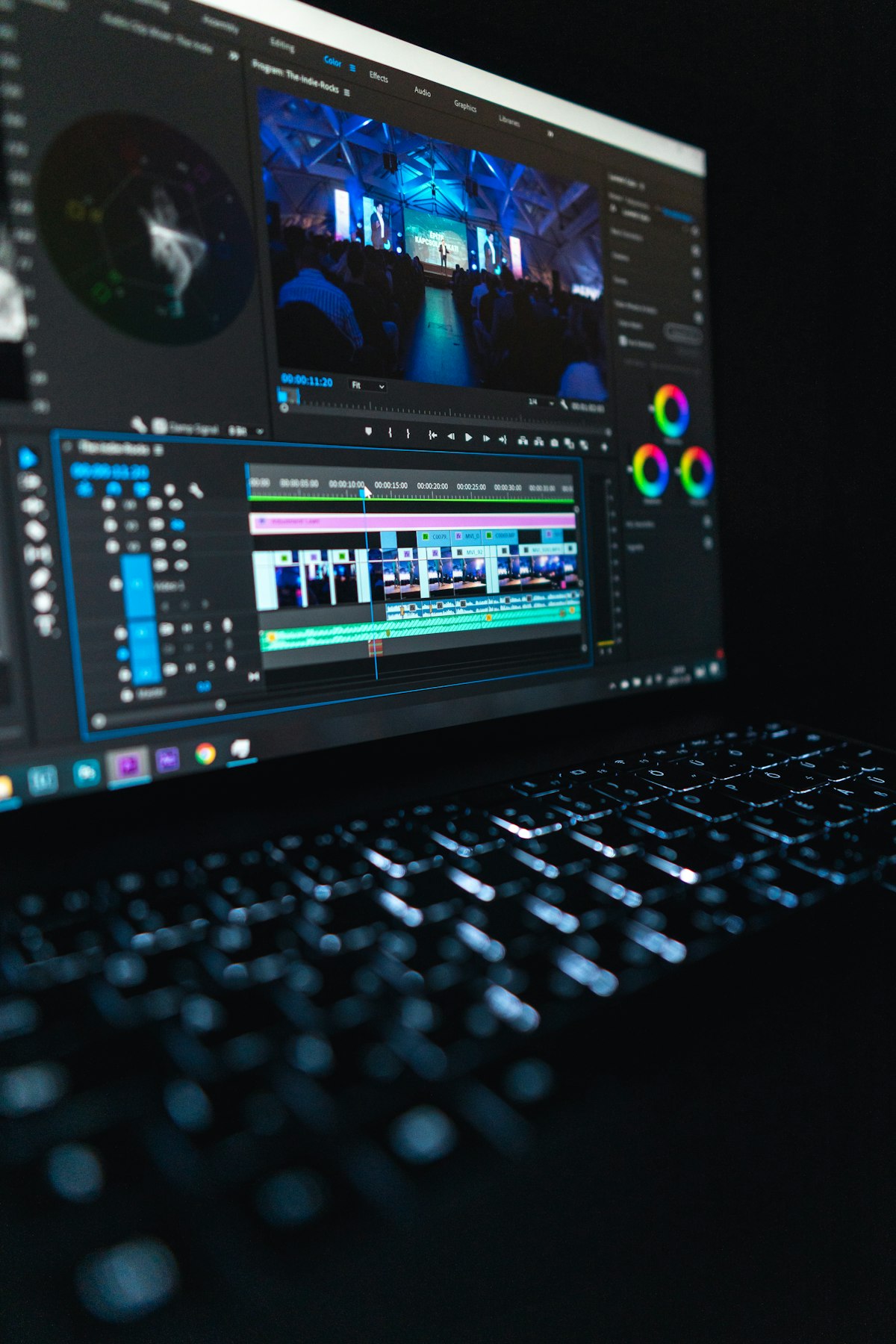
Luminar Neo - power without complexity
Luminar Neo sits in the sweet spot between Photoshop's professional depth and Canva's simplicity. Its AI tools are purpose-built for the edits photographers make most often: sky replacement, portrait retouching, object removal, relighting, and powerline removal. Each feature works with a single click or a simple slider adjustment, making professional-quality edits accessible to enthusiasts who don't want to spend years learning Photoshop.
We tested sky replacement with a flat, overcast landscape. Luminar Neo's AI correctly masked the sky - including gaps between tree branches - and replaced it with a dramatic sunset. The result was convincing at web resolution, though the masking showed some fringing at 100% zoom on high-contrast edges. Portrait retouching handled skin smoothing, eye enhancement, and face contouring with adjustable intensity. The defaults were tasteful; pushing the sliders past 70% produced the "over-processed" look that gives AI editing a bad reputation.
The $129 perpetual license is a major differentiator. In a market where everything is subscription-based, paying once and owning the software outright appeals to budget-conscious photographers. Higher one-time tiers ($159 All Platforms, $199 Max) add mobile and web access; Max includes a year of Luminar Prime.
- Pricing: Desktop Only perpetual license: $129 (one-time). All Platforms: $159. Max: $199 (includes 1 year of Luminar Prime).
- Pros: One-click AI tools are genuinely easy, $129 perpetual license, sky replacement is strong, portrait retouching is tasteful at default settings, RAW support
- Cons: Can overcook edits if sliders are pushed too far, sky replacement masking isn't as precise as Photoshop, catalog management is basic compared to Lightroom
- Best for: Photo enthusiasts and semi-professionals who want powerful AI edits without Photoshop's complexity or subscription pricing
Remini - face enhancement specialist
Remini does one thing remarkably well: it makes blurry faces sharp. Upload a low-resolution selfie, an old family photo, or a cropped face from a group shot, and Remini's AI reconstructs facial details - sharpening eyes, adding skin texture, and enhancing hair definition. The results are sometimes almost unsettling in how much detail the AI generates from minimal source data.
We tested Remini with three images: a 200x200 pixel crop from a group photo, a scanned 1970s family portrait, and a motion-blurred selfie. All three came back dramatically improved. The group photo crop went from "unrecognizable blob" to "clearly identifiable face." The vintage photo looked like it was taken with a modern camera. The motion-blurred selfie was the weakest result - Remini improved sharpness but introduced some artifacts around the jawline.
With over 100 million photos enhanced, Remini's AI has been trained on an enormous dataset specifically focused on facial features. This specialization means it outperforms general-purpose editors like Photoshop and Topaz for face-specific enhancement, but it's nearly useless for landscapes, products, or other non-face content.
- Pricing: Free tier (5 enhancements/day with ads and watermark). Premium: $9.99/month or $29.99/year. Unlimited enhancements, no watermark.
- Pros: Best-in-class face enhancement, restores old photos impressively, dead-simple interface, mobile-first design
- Cons: Only useful for faces - useless for landscapes/products/general editing, free tier has watermarks and ads, can introduce artifacts on heavily damaged sources
- Best for: Restoring old family photos, enhancing low-resolution portraits, improving profile pictures
Photoroom - e-commerce product photos
Photoroom is purpose-built for one workflow: turning amateur product photos into professional-looking listing images. Take a phone photo of a product on your kitchen table, and Photoroom removes the background instantly, adds a clean white or contextual AI-generated background, applies professional shadows, and exports an image ready for Shopify, Etsy, Amazon, or eBay. The entire process takes under 30 seconds per image.
We tested Photoroom with 5 product photos: a pair of sneakers, a ceramic mug, a leather wallet, a glass bottle, and a piece of jewelry. Background removal was flawless on 4 of 5 items - the glass bottle required manual edge cleanup because the transparent material confused the AI. The AI-generated backgrounds ranged from "professional studio" to "lifestyle scene," and the shadow system added realistic grounding that prevents the floating-object look common in amateur product photography.
Batch processing is where Photoroom saves serious time for sellers with large catalogs. Upload 50 product photos, apply the same background and shadow settings, and export all 50 in under 5 minutes. For e-commerce sellers listing 20+ products per week, this feature alone justifies the Pro subscription.
- Pricing: Free tier (limited exports with watermark). Pro: $12.99/month, or $7.50/month billed yearly (8,000 AI credits, 1,000 exports). Max: $34.99/month ($20.99 yearly). Ultra: $99/month ($82.50 yearly).
- Pros: Best-in-class background removal for products, AI backgrounds are convincing, batch processing saves hours, designed specifically for e-commerce
- Cons: Only useful for product photography, struggles with transparent/reflective objects, free tier watermark is prominent
- Best for: E-commerce sellers on Shopify, Amazon, Etsy, eBay - anyone who needs professional product images from phone photos
Canva - quick edits for non-photographers
Canva's photo editing features aren't trying to compete with Photoshop or Topaz. They're designed for people who need quick improvements to photos destined for social media, blog posts, presentations, and marketing materials. Background removal, Magic Eraser (object removal), one-click enhancement, and basic retouching all work well enough for non-critical use cases.
We ran our test photos through Canva's editing tools. Background removal was good but not as precise as Photoroom - it left some fringing around hair and fine details. Magic Eraser handled simple object removal (a trash can in a landscape) but struggled with complex removals where the AI needed to reconstruct significant background detail. The one-click "Enhance" filter brightened and sharpened images in a way that looked good on social media but would be too aggressive for print or professional use.
The real value of Canva for photo editing is workflow integration. Edit a photo, drop it into a social media template, add text, and export - all in one tool. If you're already paying for Canva Pro for other design work, the photo editing is included at no extra cost.
- Pricing: Free (basic editing). Pro: US$144/year (background remover, Magic Eraser, full template library). Business: US$250/year per person.
- Pros: All-in-one design platform, editing integrated with templates and exports, generous free tier, zero learning curve
- Cons: Photo editing quality is mid-tier, no RAW support, not suitable for professional photography workflows, enhancement can be over-aggressive
- Best for: Social media managers, bloggers, small business owners who need quick edits within a broader design workflow
Pixelcut - batch processing for e-commerce
Pixelcut overlaps with Photoroom in the e-commerce photo space but differentiates with stronger batch processing and a more generous free tier. Upload multiple product photos simultaneously, remove backgrounds in bulk, apply consistent styling, and export in the dimensions each marketplace requires (Amazon square, Instagram portrait, Shopify banner). The AI upscaler is also solid - not Topaz quality, but sufficient for turning phone photos into print-ready product images.
We processed our 5 product photos through Pixelcut and compared against Photoroom. Background removal accuracy was comparable - both tools handled 4 of 5 products cleanly and struggled with the glass bottle. Pixelcut's batch workflow was slightly faster because it lets you apply settings globally rather than per-image. The free tier includes limited background removals and exports with no watermark, more generous than Photoroom's watermarked free tier.
- Pricing: Free (limited background removal, no watermark). Pro: $10/month, or $8/month billed yearly (600 AI credits). Business: $30/month ($24 yearly).
- Pros: Strong batch processing, generous free tier, marketplace-specific export dimensions, integrated upscaler
- Cons: Limited to product photography use cases, AI backgrounds aren't as varied as Photoroom, less established brand
- Best for: High-volume e-commerce sellers who need batch background removal and consistent product styling
Detailed pricing comparison
| Tool | Free tier | Paid plan | License type | RAW support |
|---|---|---|---|---|
| Photoshop | 7-day trial | $19.99-22.99/mo | Subscription | Yes |
| Topaz Photo AI | Trial (watermarked) | $39/mo (annual) | Subscription | Yes |
| Luminar Neo | Trial | $129 one-time | Perpetual | Yes |
| Remini | 5/day (watermarked) | $9.99/mo | Subscription | No |
| Photoroom | Limited (watermarked) | $7.50/mo (yearly) | Subscription | No |
| Canva | Yes (basic features) | $144/yr | Subscription | No |
| Pixelcut | Limited, no watermark | $8/mo (yearly) | Subscription | No |
| DeeVid AI Image Editor Sponsored | 20 credits | $14/mo Lite | Subscription | No |
On the ISO 12800 test image, Topaz preserved the most fine detail while removing the most noiseWhy it matters
How to pick
Pro workflow: Lightroom (catalog + basic edits) + Topaz (noise/upscaling) + Photoshop (creative edits). This three-tool stack covers every professional need. Cost: $19.99/month (Adobe Photography) + $39/month (Topaz Photo, annual).
Enthusiast: Luminar Neo ($129 one-time) covers sky replacement, portrait retouching, noise reduction, and object removal in a single purchase. It won't match Topaz for noise reduction or Photoshop for creative editing, but it handles 90% of common needs at a fraction of the cost.
E-commerce: Photoroom or Pixelcut for background removal and product styling + Canva for marketing materials. Total cost: about $20 a month billed yearly (Photoroom Pro $7.50 + Canva Pro $12) for a complete product photography workflow.
Casual: Canva free tier for quick edits, Remini free tier for face enhancement. Zero cost, surprisingly capable for social media and personal use.
Who should use AI photo editors
Professional photographers: Topaz Photo AI is non-negotiable for noise reduction and upscaling. Combine it with Lightroom and Photoshop for a complete professional workflow. The subscription pays for itself after the first wedding or event shoot where you rescue dozens of high-ISO images.
E-commerce sellers: Photoroom or Pixelcut transforms phone photos into professional listings. If you're listing 10+ products per week, batch processing saves hours. Pair with an AI listing optimizer for the copy side.
Social media creators: Canva covers photo editing and design in one platform. Remini handles portrait enhancement for headshots and profile photos. Both have usable free tiers.
Hobbyist photographers: Luminar Neo's $129 perpetual license gives you access to AI sky replacement, portrait retouching, and noise reduction without ongoing subscription costs. It's the best value in this roundup for non-professionals.
Skip AI photo editors if: You're happy with the built-in editing tools on your phone (Apple Photos, Google Photos). Modern smartphone editors handle basic adjustments well. AI editors add value when you need specific enhancements - noise reduction, sky replacement, background removal - that phone editors can't do.
Bottom line
AI photo editing has moved from novelty to necessity for anyone who works with images professionally. Topaz Photo AI sets the bar for technical enhancement - noise reduction and upscaling that no competitor matches. Photoshop's Generative Fill opens creative possibilities that didn't exist two years ago. Luminar Neo delivers the best value for enthusiasts at $129 one-time. And Photoroom proves that professional product photography no longer requires a studio. Start with the free tiers of Canva, Remini, and Pixelcut to find your workflow. Upgrade to paid tools when you hit limitations, not before.
Featured partner: for prompt-based, generative edits, object removal, generative fill, background swaps, and canvas expansion, without the Photoshop learning curve, DeeVid AI Image Editor is our sponsored pick, with 20 free credits to try it. (sponsored)
E-commerce sellers using Photoroom for product photography should pair it with AI listing optimization to ensure the images convert. Great photos are only half the equation - the copy and keyword optimization matter equally on Amazon and Shopify. Freelance photographers and designers can deduct all their AI editing subscriptions as business expenses.
From our network
- AI listing optimizer review -- pair great photos with AI-optimized product copy
- Freelancer deductions by profession -- deduct Topaz, Luminar, and Photoshop subscriptions
- Best UX design courses -- develop visual skills to complement AI editing tools
Boost product photo conversions
AI photo editing gets your images looking great. AI listing optimization ensures they convert - better titles, bullets, and keywords for Amazon and Shopify.
See listing optimizer →Create and edit AI images
Standards and research behind this page
Claims about what an AI tool can and cannot do are easiest to check against the standards bodies and research groups that measure these systems rather than against any vendor's own description. The sources below are the primary ones, linked so a reader can verify a claim here without taking this page's word for it.
- NIST AI Risk Management Framework is the US federal reference for evaluating and governing AI systems, including how their capabilities and limits should be characterised.
- NIST AI RMF Knowledge Base sets out the measurable characteristics of a trustworthy AI system, which is the vocabulary these comparisons use.
- Stanford HAI AI Index publishes the annual measured benchmarks on model capability, cost and adoption that vendor claims are checked against.
- National Science Foundation AI programme funds and documents the underlying research these products are built on.
- arXiv cs.AI carries the primary papers behind most model capability claims, usually months before a product mentions them.
- FTC Endorsement Guides governs how a review or recommendation must disclose a material connection, which is why the disclosure on this page exists.
- US Copyright Office states what copyright covers, which decides who owns the output of a generative tool.
- Section 508 defines the federal accessibility requirements a tool must meet to be usable in public-sector work.
This page compares tools and does not endorse one. Capabilities and pricing change frequently, and a reader should confirm current behaviour with the vendor before relying on it.