Design.com Review (2026): Is It the Best Logo Maker?
Need a logo? Well, there's no shortage of options in this day and age. You can just type in "logo maker" and there are hundreds of tools that will pop up. The real question is which one of the hundred is the best one to use. And one tool, Design.com, says that they are the best logo maker tool in the market. We set out to investigate whether the claim is true by testing how well it performs in the areas that matter the most when it comes to logo design: logo quality, brand relevance, speed, ease of use, and overall value. Here's what we found.
- Verdict: Design.com scores 9.5 out of 10. It's the best logo maker for those looking for on-brand, relevant, and high-quality logo designs that are a step above the typical template logos.
- Unique advantage: Access to an AI chat editor to edit designs for you, plus the market's largest logo template collection.
- Pricing: Free templates are available, with no watermarks and all hi-res logo file output. Premium templates can be downloaded with a paid plan that starts at $9.
Final score
The best logo maker for on-brand, high-quality designs.
Built around
The market's largest logo template collection.
Where it wins
Brand relevance, number of options, and ease of use.
What is Design.com?
Design.com is an online logo maker tool where users can access the world's largest collection of logo templates covering virtually every business category imaginable. These range from the usual food and beverage shops down to the more specific ones like, say, selling knitted cat-shaped beanies.
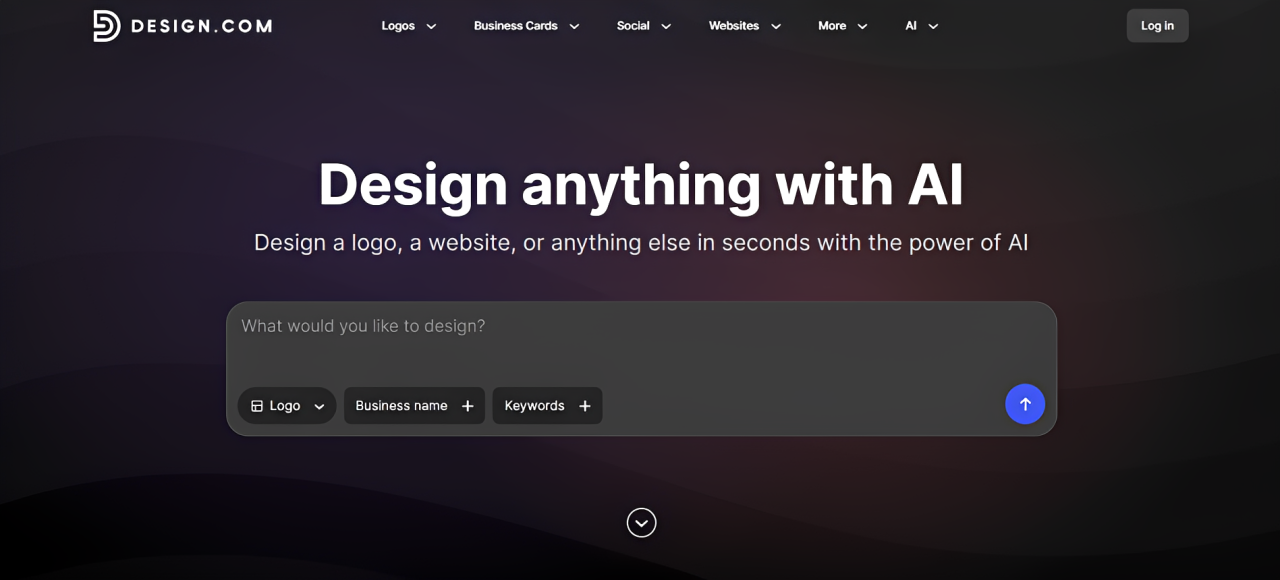
Using the tool is straightforward. Users just need to enter their business name and keywords and wait for the search to surface the relevant logos. You can also search via keywords (ex. "minimalist", "bird") or industry (ex. "Construction", "Fashion") by clicking "Logos" in the top bar.
Once you choose a design, you can customize it in the editor manually or via AI chat where you just need to request the edit and have the AI do it for you. Then download the finished file in both print or digital formats.
Beyond logos, Design.com also includes more than 50 branding tools for creating matching business cards, websites, social media graphics, presentations, flyers, and other marketing materials, making it easy to keep your branding consistent as your business grows.
Design.com Key Features
- 500,000+ logo templates (the largest amongst competitors)
- 1 million+ total design templates
- Every logo is categorized by industry, style, and theme, making it easy to discover relevant designs whether you're searching for a specific keyword or simply browsing for inspiration.
- Houses 525+ exclusive fonts and 62,000+ custom vector shapes.
- Provides an AI chat editor where users can simply chat with the AI to request logo changes. The AI is also custom-trained to do only copyright-safe edits.
- All logos are 100% commercially safe to use.
- Offers exclusive licensing for the logos.
- Offers an extensive range of hi-res file formats like PNG, JPG, SVG, PDF, EPS, MP4, and GIF. Users get all these file formats, whether you get free or premium logos; no format is locked behind a paywall (unlike other tools).
- Available in multiple languages such as English, Spanish, French, German, Portuguese, Canadian French, and Brazilian Portuguese.
- Accepts payments in USD, AUD, GBP, EUR, INR, PHP, BRL, MXN, and ZAR.
- The platform also offers AI design tools such as AI logo generator, AI website builder, AI poster maker, AI background remover, and many more.
Our Hands-on Review of Design.com Logo Maker
Here is what we found when testing the tool:
Logo Quality
The overall quality of Design.com's logos is excellent. We checked through different industries and tried different styles, and it remained great throughout.
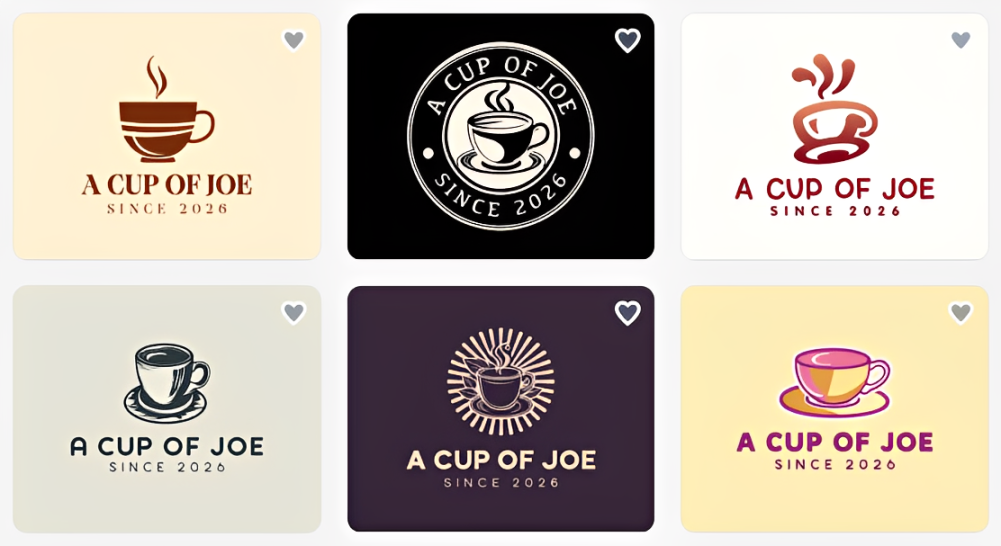
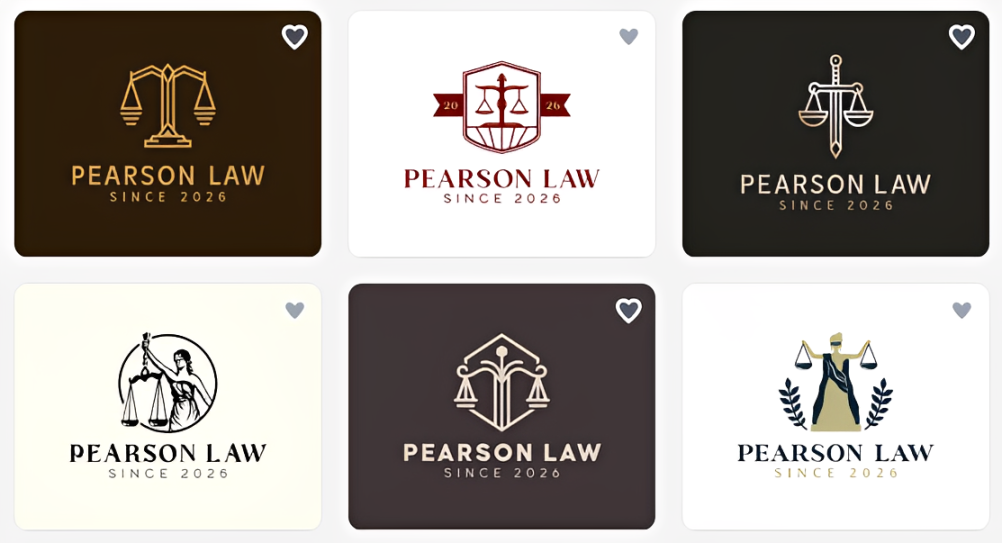
Typography is well-balanced, the layouts feel intentional, the color palettes are very harmonious, and the icon library offers enough variety so logos don't look repetitive.
According to the Design.com website, this is because the logo templates are created by professional designers. They also pull from their own library of fonts and icons instead of pulling from stock websites. All the logos are also rigorously checked for quality and originality before they even get to the site.
So what does this all mean? This means the logos are all polished right from the start since these are assembled by professional designers. Using their own library also results in more unique and original looks, and not the tired and overused logos you see from other template sites. The quality checks also ensure you only get the best of the best logos right from the get go.
Brand Relevance
This is where Design.com impressed us the most.
Many logo makers can create attractive logos, but fewer consistently recommend logos that actually suit the business you're creating. A real estate company, for example, shouldn't receive the same style of logos as a skincare brand or creative agency.
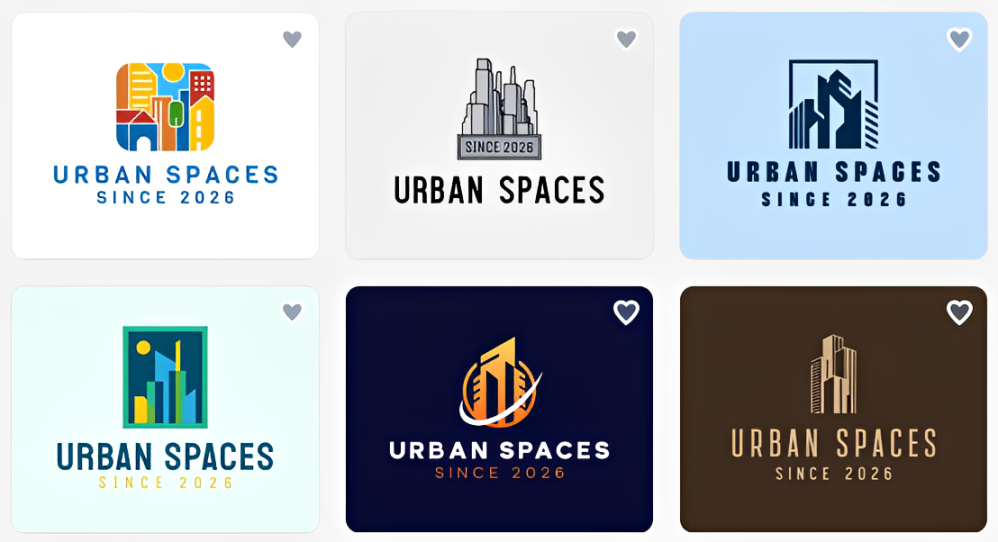
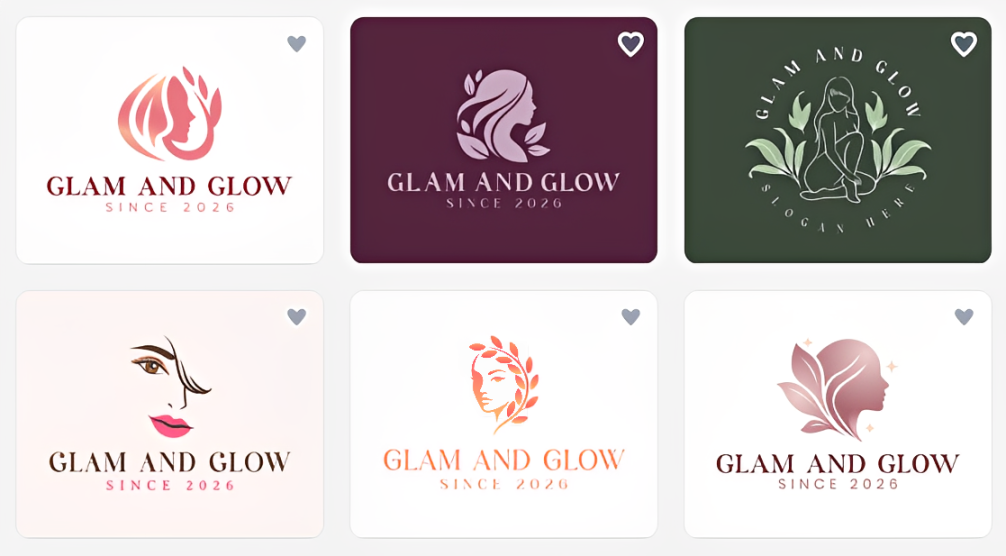
Design.com performs particularly well because of the size of its library. With more than 500,000 logo templates covering almost every industry, niche, and design style, the platform has far more relevant options to choose from than many competitors.
Whether we searched for restaurants, law firms, ecommerce stores, gyms, salons, SaaS startups, or local service businesses, the results generally reflected the visual style you'd expect from those industries. Instead of forcing a generic logo to fit your business, you're usually choosing between several designs that already feel appropriate.
Speed
Finding a logo on Design.com is very fast.
After entering a business name and keyword, results appear almost immediately. More importantly, you can move through the thousands of logo results without the platform lagging.
And because there are so many relevant designs available from the start, we rarely found ourselves repeating searches or trying different keywords just to see something new. Most of the time, the right logo was already somewhere within the existing results.
That makes the overall experience much faster than platforms where you're constantly regenerating new concepts.
Number of Options
One of the biggest reasons to choose Design.com is simply the amount of choice it offers.
Every search returns an enormous collection of logos (often well over a thousand results) covering different typography styles, layouts, icons, and brand personalities. Whether you're looking for something modern, minimalist, vintage, playful, luxurious, geometric, or corporate, there's usually no shortage of options to explore.
This matters because choosing a logo is often a creative process. Many business owners don't know exactly what they want until they see it. Having access to thousands of professionally designed concepts makes it much easier to compare different directions without starting your search from scratch every few minutes.
Compared with many competitors that only show a limited number of concepts before asking you to generate more, Design.com's library feels almost endless.
Ease of Use
Despite offering such a large library, Design.com never feels complicated.
The interface is clean, navigation is intuitive, and the editing tools are designed for beginners rather than professional designers. You can easily change fonts, colors, layouts, icons, and spacing using the drag-and-drop editor without needing experience with software like Illustrator or Photoshop.
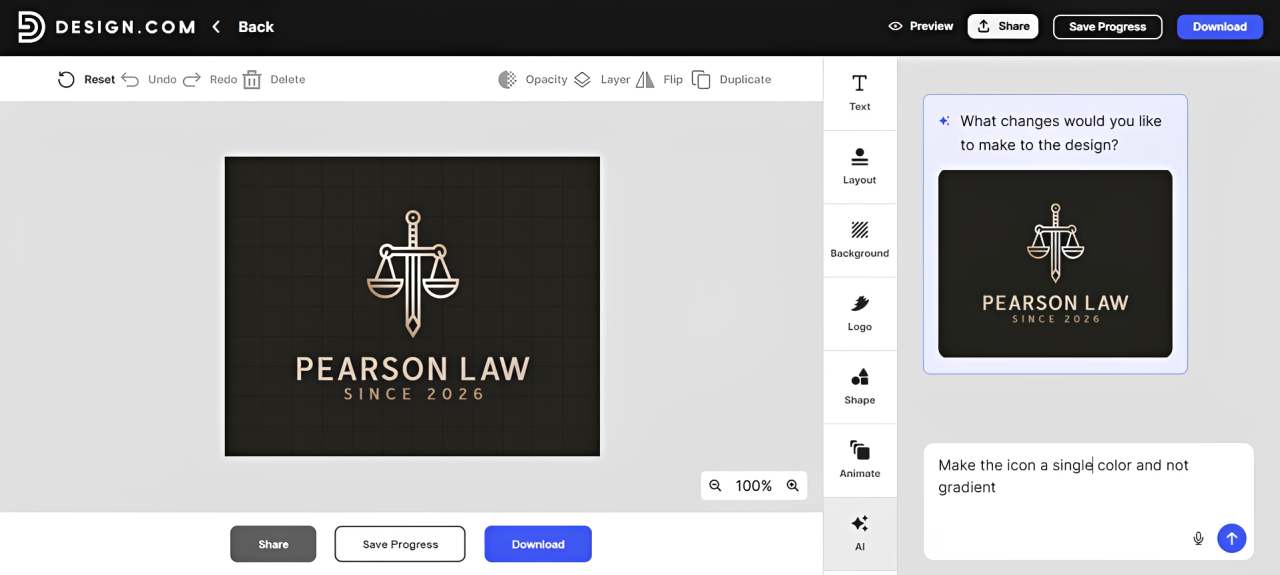
One feature we particularly liked is the new AI chat editor. Instead of editing manually, you can simply describe the change you'd like to make such as "add flowers to the crown" or "try a darker navy blue for the background". The AI will then make the edit for you. The AI also makes some smart suggestions for you (for example lightening the outline color to make it more visible) even if you don't specifically request it.
Beyond the Logo
Although the logo maker is the main attraction, Design.com becomes even more useful once you've chosen a design.
Design.com has the Brand Kit feature where you can apply your logo styling into business cards, social media posts, presentations, websites, flyers, letterheads, QR codes, and dozens of other branded templates. Because those templates inherit your branding automatically, creating consistent marketing materials takes far less effort than starting each design from scratch.
For new businesses building their brand across multiple channels, having everything connected in one platform is a genuine advantage.
Design.com vs Canva vs Adobe Express
| Feature | Design.com | Canva | Adobe Express |
|---|---|---|---|
| Logo Library | 500,000+ | Smaller (estimated around 25,000) | Smaller (estimated around 48,000) |
| Industry Relevance | 5/5 | 4/5 | 3.5/5 |
| Logo Options Per Search | Thousands | Hundreds | Hundreds |
| Ease of Use | Excellent | Excellent | Very Good |
| Logo Editing | Drag and Drop + AI chat | Drag and Drop | Drag and Drop |
| Branding Tools | Extensive | Extensive | Extensive |
| Best For | Logo Creation | General Design | Accessing Adobe's quality stock fonts and images |
Canva and Adobe Express are both good design platforms but their strengths are not particularly in logo creation.
Design.com, on the other hand, feels purpose-built for helping businesses find the right logo as quickly as possible. Its much larger logo library, stronger industry relevance, and significantly higher number of logo options give it a noticeable advantage if your primary goal is creating a brand identity rather than designing general marketing graphics.
Design.com Pricing Overview
| Tier | Price | What You Get |
|---|---|---|
| Free | $0 | Free templates are available. You'll get the logo files high-quality, in all file formats, without watermarks. |
| Starter | $9/month (billed monthly) | Premium templates + Business cards, Instagram posts, Facebook posts, Email signature, Letterheads, 50+ other design tools |
| Value | $14/month (billed monthly) | Everything in Starter + Website |
| Premium | $19/month (billed monthly) | Everything in Starter + Website, Link in bio, Digital business cards |
Who Is Design.com Best For?
- Small businesses that need relevant and on-brand logos.
- Entrepreneurs building a complete brand identity.
- Startups that want commercially safe and licensed designs.
- Freelancers and creators who want professional and high-quality logos.
- Agencies looking to present multiple logo concepts to clients efficiently.
Verdict
After spending time with Design.com, it's easy to understand why it's become one of the leading logo makers on the market.
Its greatest strength isn't a single feature but rather the overall experience. The combination of an enormous professionally designed logo library, highly relevant search results, fast browsing, and beginner-friendly editing makes it remarkably easy to go from business idea to finished logo in just a few minutes.
Standards and research behind this page
Claims about what an AI tool can and cannot do are easiest to check against the standards bodies and research groups that measure these systems rather than against any vendor's own description. The sources below are the primary ones, linked so a reader can verify a claim here without taking this page's word for it.
- NIST AI Risk Management Framework is the US federal reference for evaluating and governing AI systems, including how their capabilities and limits should be characterised.
- NIST AI RMF Knowledge Base sets out the measurable characteristics of a trustworthy AI system, which is the vocabulary these comparisons use.
- Stanford HAI AI Index publishes the annual measured benchmarks on model capability, cost and adoption that vendor claims are checked against.
- National Science Foundation AI programme funds and documents the underlying research these products are built on.
- arXiv cs.AI carries the primary papers behind most model capability claims, usually months before a product mentions them.
- FTC Endorsement Guides governs how a review or recommendation must disclose a material connection, which is why the disclosure on this page exists.
- US Copyright Office states what copyright covers, which decides who owns the output of a generative tool.
- Section 508 defines the federal accessibility requirements a tool must meet to be usable in public-sector work.
This page compares tools and does not endorse one. Capabilities and pricing change frequently, and a reader should confirm current behaviour with the vendor before relying on it.